 3DSettings
The Onyx Pro is a commercial 3D printer with Fused Deposition Modeling (FDM / FFF) technology made by MarkForged. It has 2 nozzles, can print with ABS and PLA, and has an LCD screen. It is compatible with the Eiger software, and connects through USB, card reader and Ethernet. Its print area is 320x132x154 mm and it weighs kg. It has various slicer settings that must be adjusted depending on the material and the desired outcome.
← Printer catalog · Slicer settings
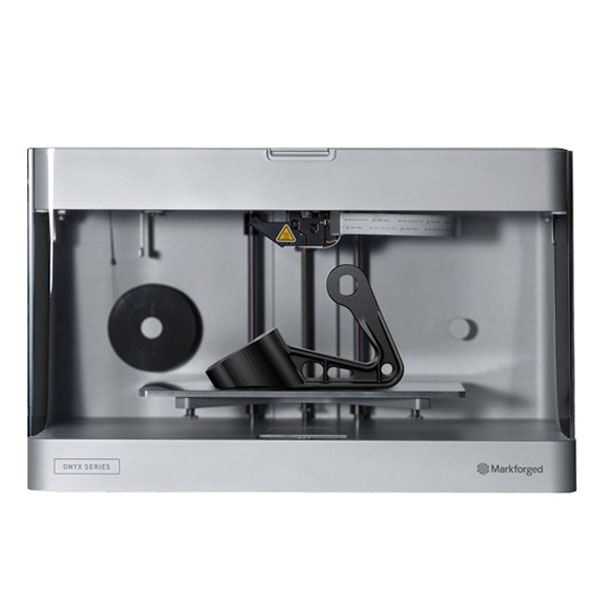
Onyx Pro slicer settings
Recommended slicer settings for the Onyx Pro (MarkForged) 3D printer. Profiles cover PLA, ABS with starting nozzle/bed temperatures, fan, and speed guidance. Build volume 320x132x154. Fused Deposition Modeling (FDM / FFF). Common slicers: Eiger. Use these as a baseline and fine-tune for your filament brand and enclosure.
PLAABS
Onyx Pro slicer settings
Starting temps and speeds for this machine. Generated defaults are a baseline — tune for your filament.
| Profile | Filament | Temp | Speed | Fan | Slicer |
|---|---|---|---|---|---|
| Onyx Pro — ABS starting settings defaults | ABS | 250/100 | vol 11 mm³/s | 0-20 | Eiger |
| Onyx Pro — PLA starting settings defaults | PLA | 210/60 | vol 15 mm³/s | 100 | Eiger |
Tech specs
| Type | Commercial |
|---|---|
| Brand | MarkForged |
| Сountry | USA |
| Print technology | Fused Deposition Modeling (FDM / FFF) |
| Nozzle quantity | 2 |
| LCD Screen | Yes |
| Print Area | 320x132x154 |
| Material | ABS, PLA |
| Material diameter | 1.75 |
| Host computer software | Eiger |
| Input method | USB, Card Reader, Ethernet |
| Machine size | 320x132x154 |
| weight, kg | kg |