← Printer catalog · Slicer settings

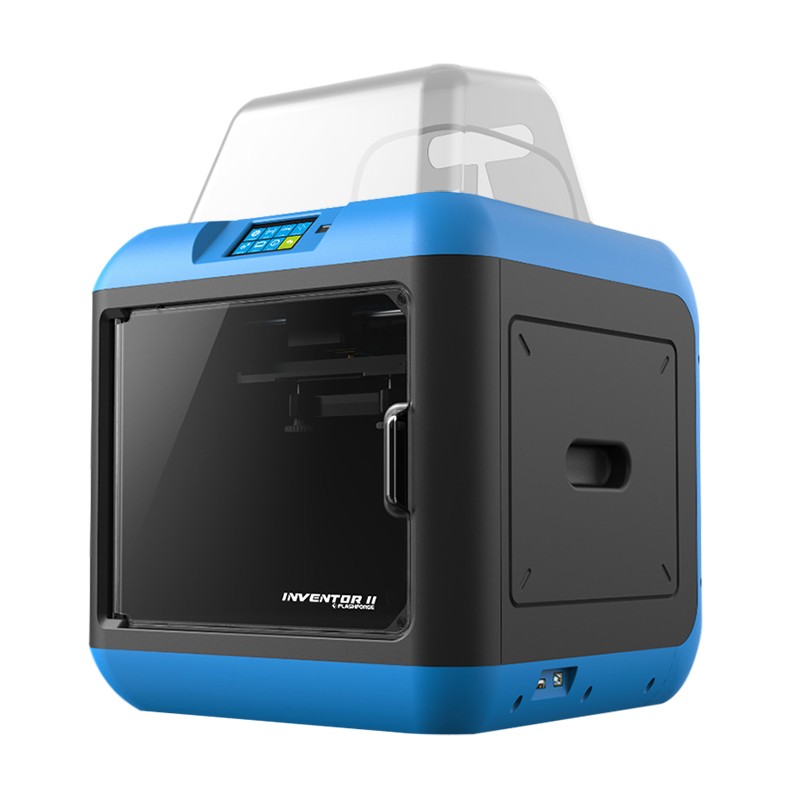
FlashForge Inventor II

FlashForge Inventor II slicer settings

Recommended slicer settings for the FlashForge Inventor II (Jinhua Flashforge Technology Co., Ltd) 3D printer. Profiles cover PLA, ABS with starting nozzle/bed temperatures, fan, and speed guidance. Build volume 140x150x140. Fused Deposition Modeling (FDM / FFF). Common slicers: FlashPrint. Use these as a baseline and fine-tune for your filament brand and enclosure.

PLAABS

FlashForge Inventor II slicer settings

Starting temps and speeds for this machine. Generated defaults are a baseline — tune for your filament.

Profile Filament Temp Speed Fan Slicer
FlashForge Inventor II — ABS starting settings defaults ABS 250/100 vol 11 mm³/s 0-20 FlashPrint
FlashForge Inventor II — PLA starting settings defaults PLA 210/60 vol 15 mm³/s 100 FlashPrint

Tech specs

Type Home
Brand Jinhua Flashforge Technology Co., Ltd
Сountry China
Print technology Fused Deposition Modeling (FDM / FFF)
Nozzle quantity 1
LCD Screen Yes
Print Area 140x150x140
Bed Without heated
Material ABS, PLA
Material diameter 1.75
Host computer software FlashPrint
Input method USB, Card Reader, WiFi
Machine size 140x150x140
weight, kg kg

The FlashForge Inventor II is a 3D printer manufactured by Jinhua Flashforge Technology Co., Ltd based in China. It has a single nozzle and uses Fused Deposition Modeling (FDM / FFF) technology. Its print area is 140x150x140 and has an LCD screen. It has the ability to use ABS, PLA filament and the filament diameter is 1.75. The printer’s host computer software is FlashPrint and is capable of connecting via USB, Card Reader, or WiFi. It has a machine size of 140x150x140 with no listed weight. General slicer settings would depend on the specific filament being used as each type will have different temperatures, speed and fan settings.